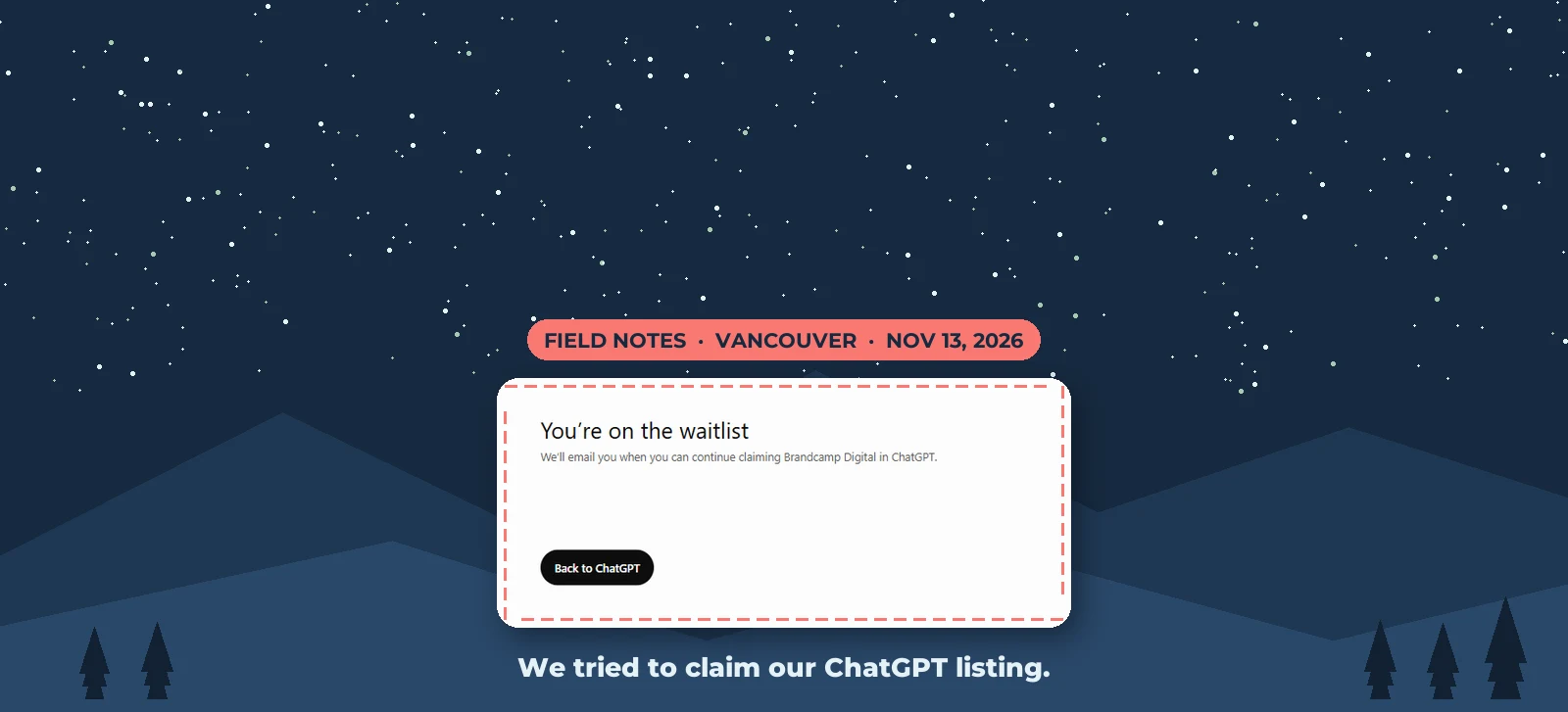
On November 13, three days after OpenAI launched Business Hub, we tried to claim Brandcamp Digital's listing in ChatGPT. ChatGPT already had us listed, with our Vancouver address and a Directions button. When we tried to claim it, we got a waitlist.
For now, Canadian local businesses can't claim their ChatGPT listing. That matters less than it sounds: OpenAI says claiming doesn't change how often ChatGPT recommends you. What does is what the rest of the internet says about your business, and you can work on that today.
Canadian local businesses can't claim yet
OpenAI's help page says local stores and restaurants "can currently claim only an existing U.S. listing." OpenAI launched Businesses in ChatGPT in beta on November 10, 2026. Business Hub is where a business claims its listing, updates its details and sees how people find it in ChatGPT.
When we tried, ChatGPT showed: "You're on the waitlist. We'll email you when you can continue claiming Brandcamp Digital in ChatGPT." OpenAI's help page doesn't mention a waitlist, so there's no word yet on how long it lasts.
Your business is probably already in ChatGPT
ChatGPT had a listing for us before we did anything, and listings like it already show up in answers. OpenAI counts a "mention" for a local business "when ChatGPT shows a result for that location, even if the customer doesn't open the listing or visit the website."
To see what ChatGPT says about you, ask it what a customer would: "best [your service] in [your city]". Our free AI visibility checker runs that test across ChatGPT and other AI tools.
Claiming won't make ChatGPT recommend you more
OpenAI says claiming "doesn't guarantee increased visibility or give you direct control over ChatGPT's independent recommendations." It also says advertising doesn't influence ChatGPT's independent answers.
What claiming gives you is accurate details and, for the first time, numbers: how often ChatGPT showed your business and how many people clicked through, over the last 28 days. Once claiming opens, you'll be able to:
- verify through your business phone, business email, website domain or Shopify store, then confirm your identity with Persona (OpenAI may ask for government ID and business registration)
- update your website, description, category, logo, policies and cover photo
- give your team or an agency access
- claim each location separately ("claiming the main brand doesn't claim its locations")
My take: if OpenAI wins the race with Google, or keeps taking search share from it, a ChatGPT listing could become as important as a Google Business Profile. That's why it's worth getting the groundwork right now.
What decides whether ChatGPT names you
In our testing, ChatGPT recommended the businesses other websites already talk about. From October 31 to November 3, 2026, we tested an Ontario indoor golf chain in 12 cities, asking ChatGPT, Gemini, Claude and Perplexity which indoor golf simulators they'd recommend in each city.
Cities where each AI tool named the chain (out of 12):
- Gemini: 9
- Perplexity: 8
- ChatGPT: 5
- Claude: 5
A strong Google Maps ranking didn't guarantee a mention. In two cities the chain wasn't in the Maps top 10, yet three or four AI tools recommended it. In Toronto it ranked fifth on Maps, and no AI tool named it.
In one city, ChatGPT didn't name the chain's location in any of five customer questions. Its answers drew on business websites, the city's tourism site and Yellow Pages. That tourism page featured a competitor and didn't mention the chain. The competitor was named in 18 of 20 answers across the four tools.
What to do now while you wait
- Keep your name, address, phone and website identical everywhere: Google Business Profile, Apple Business Connect, Bing Places, Yelp, Yellow Pages and industry directories.
- Get listed on the local sites AI tools read: your city or regional tourism site, chamber of commerce, industry associations and local "best of" roundups.
- Make your website say plainly what you do, where and for whom, with a page for each main service and location.
- Keep reviews coming in and reply to them. The competitor ChatGPT kept naming had four times as many Google reviews and had replied to every one. We can't prove that was the reason, but it's what customers see first.
- Get ready to claim. Make sure you can get a code at the phone number and email on your listing, have your ID and business registration handy, and decide who claims each location.
- Join the waitlist. The waitlist screen says OpenAI will email you when you can continue.
We'll update this page when Canada opens up
OpenAI says it plans to expand Businesses in ChatGPT to more markets over time but hasn't given dates. We're on the waitlist, and we'll update this page with what claiming looks like for Canadian businesses as soon as we get through.
If you'd like to see where your business stands in ChatGPT today, our free AI visibility checker shows which AI tools name you and who they recommend instead.
Sources: OpenAI, Introducing Businesses in ChatGPT (November 10, 2026); OpenAI Help Center, Setting up your business on ChatGPT